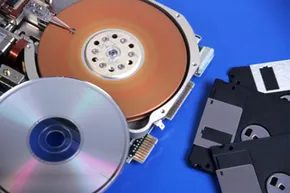
Home computing used to be a lonely activity. Before the late 1990s, the internet was a peripheral, not a pulse. You wrote documents on a PC. You saved them to a hard drive or, if you were feeling fancy, a floppy disk. If you needed to share those files with a colleague, you physically walked the disk to their machine. It was a singular, local experience.
Today, that dynamic has flipped. Computing is web-centric. We live in the browser. Whether you are using Firefox, Edge, or Chrome, that software is the window through which you retrieve information, integrate online documents, and share data with people on the other side of the planet.
Google is looking at this shift and deciding it is not enough. The tech giant is trying to reshape the entire computer experience by leveraging its deep understanding of the web to build a new operating system: Chrome OS.
The Problem with Traditional OS
Traditional operating systems like Windows are heavy. They demand hard drive space. They demand your time. You have to manually install programs one by one. You have to manage security updates. You have to wrestle with device drivers just to make your printer work. It is a maintenance burden that many users find exhausting.
Google’s Chrome OS aims to dismantle that paradigm entirely. In this new model, the browser is not just an application running on top of the OS. The browser is the OS. Chrome OS is built on an open-source version of Linux, integrated tightly with the Chrome browser, a simple media player, and… that is basically it.
No bloatware. No legacy clutter. Just the web.
The Netbook Catalyst
Google did not arrive at this ultra-simple, web-centric design by accident. It was a direct response to the massive success of netbooks. These small, inexpensive laptops were designed for one thing: accessing the web. They were not built for high-powered applications like Photoshop or heavy video editing. They were limited by design and price.
Chrome OS fits this hardware profile perfectly. Unlike Windows, Chrome OS will not be available as a download for you to install on your current PC. It will be pre-installed by netbook manufacturers who agree to meet Google’s strict hardware specifications.
The OS is optimized for solid-state storage (SSD) rather than traditional spinning hard drives. Why? SSDs are less prone to mechanical failure. They are also typically smaller in capacity. That is a feature, not a bug. Google wants you to store your data online. You do not need local storage for software because the applications live in the cloud.
The Cloud Computing Shift
Google stresses the online nature of Chrome OS because the entire project revolves around the cloud computing model. This is not just marketing jargon. It means all your data and all your applications are stored remotely on Google’s servers. You can access them from any computer, anywhere you have an internet connection.
The cloud computing model ensures that your digital life is not tethered to a single physical device.
By hacking out all the non-web functions that bog down a traditional operating system, Google believes it can achieve three specific goals: speed, security, and simplicity. The company is not working in isolation, either. Because the project is open-source (known as Chromium OS), developers around the world are providing feedback and building features. This collaborative approach helps refine the experience faster than a closed-door development cycle ever could.
A Secondary Machine
It is important to understand what Chrome OS is not. Google does not intend for it to replace the primary computer in your home or office. It is not going to run your heavy-duty accounting software or your 3D rendering engine. Instead, the company envisions a Chrome OS netbook as a secondary machine. You use it after you are done with the demanding tasks on your main, more powerful computer.
Like most Google products, Chrome OS is free. This, combined with Google’s distribution power, should grab your attention. But the user experience is the real hook. The team is constantly improving the product, rolling out new features like dark mode to reduce eye strain during late-night browsing sessions.
The landscape of computing is shifting under our feet. We are moving away from local storage and toward a world where the internet is the only storage that matters. How will this change the way you work? The answer lies in the design.
Chrome OS Design and Operation

Chrome OS operates as a lean, web-centric environment. By stripping away legacy hardware checks and unnecessary system overhead, it avoids the bloat that drags down traditional operating systems. Traditional firmware often hunts for obsolete hardware like floppy drives during startup. Chrome OS skips this entirely. The result is a significantly smaller footprint. Windows 7, for instance, demands roughly 60 times more disk space than Chrome (source: Mearian).
This minimalism drives speed. A decent Windows machine might take 45 seconds to boot. Google aims for Chrome netbooks to be ready in seven seconds or less (source: Tweney).
Hardware Compatibility and User Interface
Google collaborates closely with manufacturers to ensure Chrome systems are tuned for optimal performance. The OS runs on both x86 and ARM-based processors. The user interface mirrors the Chrome browser. These devices ship with no pre-installed desktop software. An integrated media player handles offline movies, music, and photos. Adobe Flash is built into the browser, allowing seamless access to Flash-based websites.
Storage is minimal. You do not install or uninstall traditional programs. Need to write a report? Use a web-based word processor. This model has limits. High-bandwidth tasks like video editing are off the table for Chrome devices in the near term.
The Chrome Web Store and Cloud Print
For everyday tasks, Google offers the Chrome Web Store. It functions similarly to Apple’s App Store or the Android Market, providing apps for a wide range of needs.
Driver installation is another major departure from standard OS practices. Traditional systems require manual driver installations for hardware compatibility. Chrome OS simplifies this. Google identifies the printer as the primary third-party device. Instead of forcing users to install drivers, it offers Cloud Print. This service lets you print from any computer to any internet-connected printer.
Automatic Updates and Security
Chrome OS eliminates the nuisance of endless update alerts. When you connect to the internet, Google updates the OS automatically. The goal is a smoother, more secure experience. Less fuss. Less frustration.
The Future of Chrome OS

Google’s branding is heavy, but it doesn’t guarantee success. At its core, Chrome OS is just another variation of Linux. Linux has been around in various forms since the early 1990s. So why would Chrome succeed where other Linux distributions failed?
The challenges are significant. One major issue that could drive users away is the strict reliance on an internet connection. Without Web access, a Chrome computer is severely restricted. Sans the net, there’s not much this machine can do. It can’t access local data or run programs other than the included media player.
Many users may be turned off by storing all data online. Most people are used to saving at least a few critical documents locally. Being separated from that data may be too much to bear.
Privacy is another concern. It’s one thing to store a list of passwords or financial info on your own hard drive. It’s quite another to store that information on a Google-owned server, no matter how many privacy assurances the company touts.
Other users might be confused by the fact that Google already offers an open-source OS called Android. Android is becoming increasingly popular for smartphones. Publicly, Google insists there are differences between Android and Chrome. It says Chrome is simply for people who spend the bulk of their time using their computers for Web purposes. Although Android does the same things, it also has a lot of non-Web related capabilities. However, the two operating systems do overlap and may converge in the future.
Google may also encounter resistance from users who don’t like low-quality netbooks. But those people may not have to wait long for Chrome to appear on better PCs. There’s a good chance that if Chrome is successful on netbooks, Google will begin offering an updated version of the OS for more powerful laptop and desktop computers. However, the first releases are geared toward netbook offerings from the likes of Hewlett-Packard, Acer, Lenovo and Asus.
The Control Problem
There’s also the issue of control. People are concerned that Chrome puts them totally at Google’s mercy, with less control over their own data. To counter these issues, Google relies heavily on the goodwill it has generated over the years. And because many businesses already rely on a suite of Google products, such as Google Voice, Google Docs and Gmail, Google is betting that people will be likely to adopt the Chrome OS, if only due to inertia.
It’s too early in the Chrome game to see exactly where it will end. Perhaps Google will make substantial inroads into the OS market, further angering rival Microsoft. Or perhaps users will see Chrome as too restrictive and too skimpy — even for a secondary computer.
In time, we’ll see just how Google’s Chrome gamble plays out. The company that revolutionized the way we use the Internet just might transform our concept of computing as a whole, too.
For more on operating systems, Google and other related topics, take a look at the links on the next page.
Frequently Answered Questions
Is Chrome OS the same as Google Chrome?
Chrome OS is not the same as Google Chrome. Chrome OS is an operating system that is built on the Linux kernel and uses the Google Chrome web browser as its primary user interface. Google Chrome is a web browser that can be used on any operating system.
Can I put Chrome OS on my computer?
You can put Chrome OS on your computer by installing the Chrome OS operating system.
Is Google Chrome OS available for download?
No, Google Chrome OS is not available for download.
Is Chrome operating system good?
There is no one-size-fits-all answer to this question, as the best operating system for any given individual depends on that person’s specific needs and preferences. However, in general, Chrome OS is a good choice for those who want a fast, lightweight, and secure operating system.