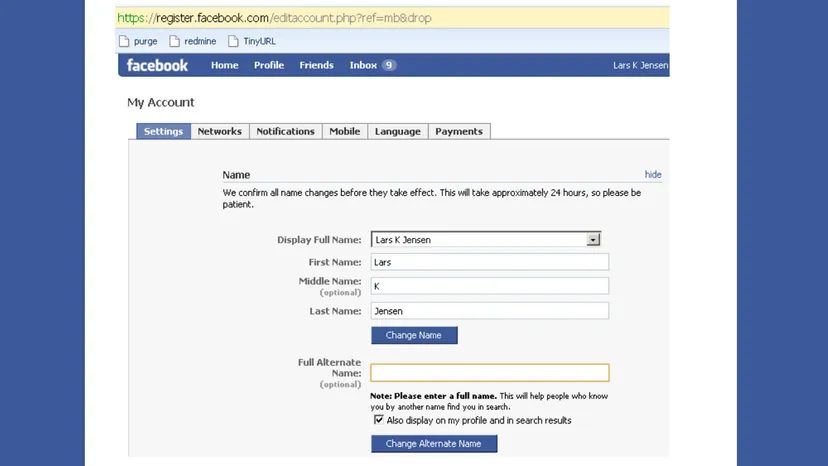
Remember when Facebook was just a digital playground? Before the timeline, before the news feed algorithm decided what you saw, and before your aunts started commenting on every photo of your brunch? Back then, using an alias was practically encouraged. Changing your name was a breeze. You just typed it in. Done.
Now? It’s a different beast. Facebook is no longer the quirky college project. It’s a global infrastructure. With that scale comes strict governance. Security isn’t just a buzzword; it’s a shield. And sometimes, that shield gets in your way if you’re trying to update your profile.
If you are currently Googling change Facebook name because the app is blocking you, you aren’t alone. The process has shifted. It’s not just about typing a new string of characters anymore. It’s about navigating Meta’s complex ecosystem of accounts. Here is how you actually do it, without pulling your hair out.
The Rules of the Road
Before you even click a button, you need to know what Facebook will accept. The platform has tightened its grip significantly. What worked in 2012 gets you flagged in 2024.
Facebook’s name standards are rigid. They are trying to eliminate impersonation, fake accounts, and confusion. To avoid rejection, your new name must adhere to these non-negotiable rules:
- No symbols, numbers, or unusual capitalization.
- No repeating characters (like “aaaa” or “xx”).
- No punctuation marks used as part of the name.
- No characters from multiple languages mixed together.
- No titles like “Mr.”, “Dr.”, or “Lord”.
- No words or phrases in place of a name (e.g., “Cool Dude” or “Birthday Girl”).
- No offensive or suggestive content.
If your desired name slips in even one of these categories, the system will likely reject it. The goal is consistency. Real names. Consistent spelling.
Updating Your Name on the Desktop App
If you are on a Windows PC and using the dedicated Facebook app from the Microsoft Store, the interface is slightly different than the web version. The path to your settings has been funneled through Meta’s new “Accounts Center.”
Here is the workflow:
- Locate the menu. Look for the downward-pointing arrow in the upper-right corner of the app window.
- Access Settings. From the drop-down, select “Privacy and Settings,” then click “Settings.”
- Enter the Accounts Center. On the left-hand menu, find “See More in Accounts Center.”
- Choose your profile. You will see a list of connected profiles (Instagram, Facebook, etc.). Select your Facebook profile.
- Edit the name. Tap on “Name.” Enter your new details.
It’s not as direct as it used to be. You are no longer just editing a field. You are managing a unified Meta identity.
The Browser Method
Most people still access Facebook through a browser like Chrome, Firefox, or Safari. This process is nearly identical to the app method, which makes sense since both feed into the same backend structure.
- Log in. Open your browser and navigate to Facebook. Enter your credentials if you aren’t already signed in.
- Click your profile picture. It sits in the top-right corner of the screen.
- Open the menu. Select “Settings and Privacy,” then click “Settings.”
- Navigate to Accounts Center. On the left sidebar, you’ll see the “Accounts Center” block. Click it.
- Select Profiles. The first option is “Profiles.” Click on your Facebook profile.
- Update the name. Click on “Name.” Enter the new information. Review the changes. Click “Save Changes.”
Note that Facebook may require you to upload ID verification if the change is significant. Have your driver’s license or passport ready. They don’t always ask, but the threat hangs in the air.
Mobile Users: iOS and Android
If you are on your phone, the process is just as convoluted but executed via touch. The location of the menu icon differs slightly by device.
On Android:
The menu icon is typically in the top-right corner.
On iPhone:
It’s usually in the bottom-right corner.
Regardless of the device, the steps converge:
- Open the menu. Tap the icon with three horizontal lines or your profile picture.
- Go to Settings. Tap “Settings & Privacy,” then “Settings.”
- Find Accounts Center. Scroll until you see the blue “Accounts Center” block. Tap it.
- Select your profile. Tap on your current Facebook profile.
- Tap “Name.” This opens the editing screen.
- Review and Save. Enter the new name. Tap “Review Change” to double-check. If it looks good, hit “Save Changes.”
The interface is designed to slow you down. It wants you to think before you change. This is a feature, not a bug.
Why Are You Changing It?
People don’t usually wake up and decide to rename their profiles for fun. There are practical reasons.
Security is a big one. If you suspect your account is targeted, using your full legal name, including middle names, can help verify your identity to friends and family. It signals “this is really me.”
Conversely, some people want to hide their full legal name. Privacy advocates often prefer a variation or a nickname to prevent doxxing or unwanted contact.
Then there is life. Marriage. Divorce. Gender transitions. These are life-altering events that require digital updates. Keeping your profile aligned with your current legal or preferred name reduces cognitive dissonance and ensures your digital presence matches your real life.
What If You Get Blocked?
Here is the kicker. Facebook imposes a waiting period.
If you change your name, you cannot change it again for 60 days. This prevents users from constantly hopping between aliases to evade bans or harass others.
If you hit a wall and feel the rejection is wrong, or if you have a legitimate urgent reason to change it back immediately, you can submit a form to appeal. It doesn’t guarantee speed, but it provides a paper trail.
Don’t give up if you hit a snag. The process is designed to be friction-heavy by default.
According to DataReportal, users spend an average of 19.5 hours on Facebook each month. That is nearly a full work week. Your profile is a significant part of your digital footprint. Taking the time to get the name right matters. Even if the path to get there feels unnecessarily complex.