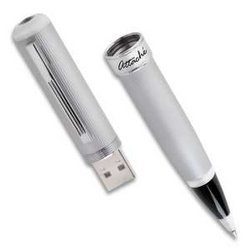
USB stands for Universal Serial Bus. It is the standard that lets you plug external devices into your computer without shutting down the system. You can theoretically connect up to 127 devices at once. The early versions offered specific speeds. USB 1.1 capped out at 12 Mbps. USB 2.0 hit a theoretical 480 Mbps. This evolution defined how we connect to our digital lives.
The Rise of Universal Serial Bus
Intel, Microsoft, IBM, and Compaq started this collaboration in the mid-1990s. They saw a mess. Computers had too many ports. They were proprietary. They were incompatible. Engineers wanted a universal solution. It needed to be simple for users. It needed to be scalable for manufacturers. They built a standard to replace the chaos.
Success came from hot-swapping. You could plug in printers, mice, keyboards, or digital cameras while the machine ran. The architecture was a star. One central host connected to many peripherals via hubs. This setup allowed for that massive 127-device limit. It beat the competition of the time.
Why USB 2.0 Mattered More Than You Think
The timeline tells the story. After USB 1.1 struggled with 12 Mbps, USB 2.0 arrived in 2000. It doubled down on speed. 480 Mbps became the new baseline. This shift drove massive adoption. Personal and professional computing changed. Later versions like 3.0 and 3.1 added gigabit speeds. They handled large video files and external backups. But the foundation was laid with those early upgrades.
How Universal Serial Bus Works Under the Hood
The system is master-slave. The host orchestrates communication. It interrogates and powers the devices. Power delivery started small. USB 2.0 provided 5V at 500 mA. That was enough for basic gear. It wasn’t enough for tablets or powerful smartphones. The industry raised the bar. Enter USB Power Delivery. Now, you can charge laptops and industrial equipment. The interface handles heavy energy loads.
Plug and Play is the real magic. The protocol identifies devices automatically. When you insert a peripheral, it sends ID info to the host. The computer installs or activates the driver. Usually, you do nothing. No manual intervention required. This simplicity democratized computing.
Different transfer modes exist for different needs. Isochronous transfers keep audio streams steady. Bulk transfers move large files on hard drives. Interrupt transfers ensure keyboards and mice respond instantly. This protocol breakdown guarantees efficiency. It keeps things compatible. The tech works because it adapts.
We’ve moved past the era where plugging in a device was a gamble with orientation. The shift from the ubiquitous USB-A to the reversible USB-C isn’t just about aesthetics. It’s a fundamental restructuring of how hardware communicates.
For nearly twenty years, USB-A was king. It was the rectangular port on every laptop, desk, and wall adapter. It worked. It was boring. Beside it sat USB-B, that square-ish port mostly reserved for printers and bulky external drives. Then came the mobile revolution. Mini and Micro-USB ports became the standard for phones and small accessories, prioritizing size over durability. They were cheap to implement but fragile.
Enter USB-C.
This connector was designed as a rupture. It’s reversible. It’s robust. It handles massive power delivery and data speeds up to 40 Gbps, especially when paired with Thunderbolt 3 or 4. The goal was singular: simplify the ecosystem. One port for data, video, and charging. You see it in smartphones, ultrabooks, and even game consoles now. It’s becoming the universal interface for mobility and energy transition.
How USB evolution affects everyday connectivity
Under the hood, each major version update brought more than just raw speed. Energy management improved. Data security hardened. Hardware compatibility expanded. Crucially, backward compatibility remains intact. You can still plug an older USB 2.0 device into a modern USB 3.2 port. This ensures legacy gear doesn’t become e-waste overnight, smoothing the transition between generations.
In professional and home environments, this standardization changed everything. Backing up files, printing, sharing media, or recharging a battery is now seamless. But the impact goes beyond desktops. Medical devices, embedded systems, smart home hubs, and interactive consoles all rely on USB for maximum interoperability. It reduces development costs. It creates a single, reliable bus for complex industries.
Why USB remains central to digital workflows
The rise of removable peripherals is tied directly to USB. Flash drives killed floppy disks, CDs, and DVDs. They became the primary method for transporting, transferring, and protecting data. Today, the ability to move information instantly is intrinsic to collaborative work and professional mobility.
USB isn’t static. It’s evolving to support future innovations in security, performance, and the Internet of Things. Its reliability and flexibility keep it central to the digital economy. It’s not just a cable anymore. It’s the infrastructure of modern connectivity.
Navigating USB standards and compatibility
When you hear “USB,” you’re likely dealing with one of these interfaces:
- USB-A : The classic rectangular connector. Still common but fading in new flagship devices.
- USB-C : The oval, reversible port. The current standard for speed and power.
- USB-B : Square port for printers and larger peripherals.
- Mini/Micro-USB : Older mobile standards. Being phased out in favor of USB-C.
Understanding which standard your device uses matters. A USB-A port on an old hard drive won’t physically fit into a USB-C port without an adapter. But the data protocols often still speak the same language. This is where backward compatibility shines. You don’t lose functionality by mixing generations. You just need the right physical adapter.
The future of the universal serial bus
The transition is complete for many sectors. High-end laptops use USB-C for everything. Smartphones have abandoned Micro-USB. Even regulators are pushing for standardization. The fragmentation of the past is disappearing.
We’re left with a cleaner ecosystem. Fewer cables. Less clutter. More power. The question isn’t whether USB will dominate. It’s how fast the remaining legacy ports will vanish. The technology is mature. The adoption is widespread. The infrastructure is set.
What happens when the last USB-A port finally disappears from new devices? The answer is already here. You just might not notice the difference until you try to plug in an old drive.