Big news for the assistive tech crowd.
Apple Intelligence isn’t just another feature. It is the backbone for some serious upgrades in accessibility tools. Vision, captioning, mobility. All getting smarter.
May 21 is Global Accessibility Awareness Day. Fitting timing for the announcement.
CEO Tim Cook wants you to know that privacy stays locked down while the smarts ramp up. “Apple’s approach to accessibility is unlike任何其他” he says. Standard exec talk, sure. But the underlying promise matters. On-device processing keeps personal data… well. Personal.
See better. Speak easier.
VoiceOver is changing.
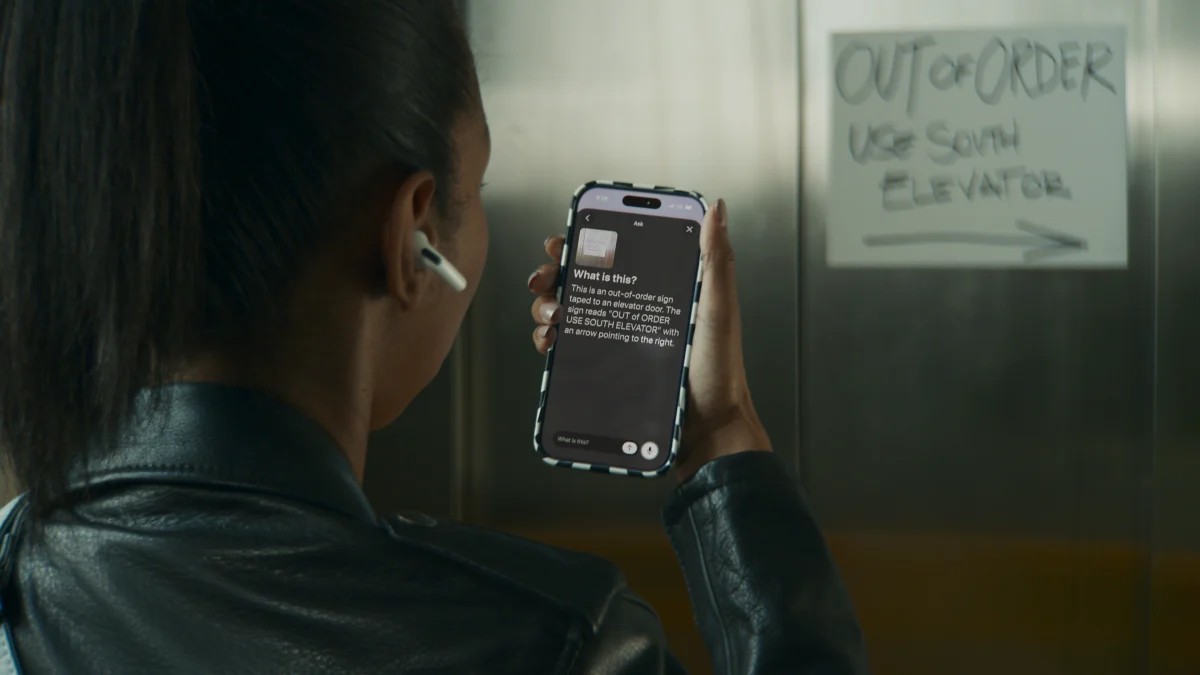
For users with low vision or blindness. Image Explorer steps in. It gives you detailed descriptions of what’s on screen. You can ask follow-up questions too. The Live Recognition feature activates via the iPhone Action button. Tap. Speak. Get answers.
Voice Control gets a brain transplant of sorts.
Memorizing complex gesture combinations is a chore. No one wants that. Instead you just talk. Natural language commands. “Tap the orange folder.” “Zoom in on that word.”
The device listens. It understands. You just say what you see. It removes the friction between thought and action.
Words that were there aren’t. Now they are.
Uncaptioned videos are a nightmare. For the deaf or hard of hearing community at least.
Apple’s new AI generates subtitles on-device. Instantly. It works for:
- Videos you shot yourself
- Content sent by others that lacks captions
- Streamed video from the internet
No cloud processing needed. Your raw video stays yours. The text appears. Magic, technically.
Reader mode gets an overhaul too. Scientific journals with messy columns? Charts? Images interspersed with text? It parses through the chaos. It offers summaries. It translates languages while keeping your custom formatting intact. A relief for academic work. Or just dense articles.
Eyes steer. Headsets drive.
Here is where it gets wild.
Apple Vision Pro now lets power wheelchair users navigate using only the headset.
It uses eye-tracking. You look left. The chair goes left. It is not a new sensor but a repurposed one. The big win? Calibration. Existing eye-trackers need constant tweaking. This one seems more stable.
Is it safe outdoors? Apple says no. Controlled environments only. No obstacles. No bad weather. Use it in your living room. Or office. Not the sidewalk. Yet.
There is more.
- Handing off hearing aid connections between devices is smoother
- FaceTime can pull in human ASL interpreters
- Apple TV gets bigger text
- Name recognition expands to 50 languages
Rolling out later this year.
Apple also expands the Hikawa Grip & Stand accessories. A collaboration with artist Bailey Hikawa. Third-party hardware meets first-party software. A rare bit of open-ecosystem friendliness from Apple.
The feature requires less frequent calibration than typical drive controls.
It is a step. Maybe a big one. Maybe small. Depends on where you sit in your wheelchair.