It is a startling statistic: the average person checks their smartphone approximately 47 times a day. While we prioritize hand hygiene and clean living spaces, we often overlook the device we touch most frequently. Studies suggest that a mobile phone can harbor more bacteria than a toilet seat, acting as a portable reservoir for germs transferred from our hands to the screen.
Maintaining a clean device is not just about aesthetics; it is a matter of personal hygiene. To keep your iPhone or Android both sanitary and functional, follow these manufacturer-approved cleaning protocols.
The Basic Clean: Dust and Smudges
Before you begin any cleaning process, ensure your device is unplugged and powered off. This prevents electrical shorts and ensures you aren’t interacting with the touchscreen while cleaning.
- Remove the Case: Your phone case often traps dirt and bacteria against the device itself.
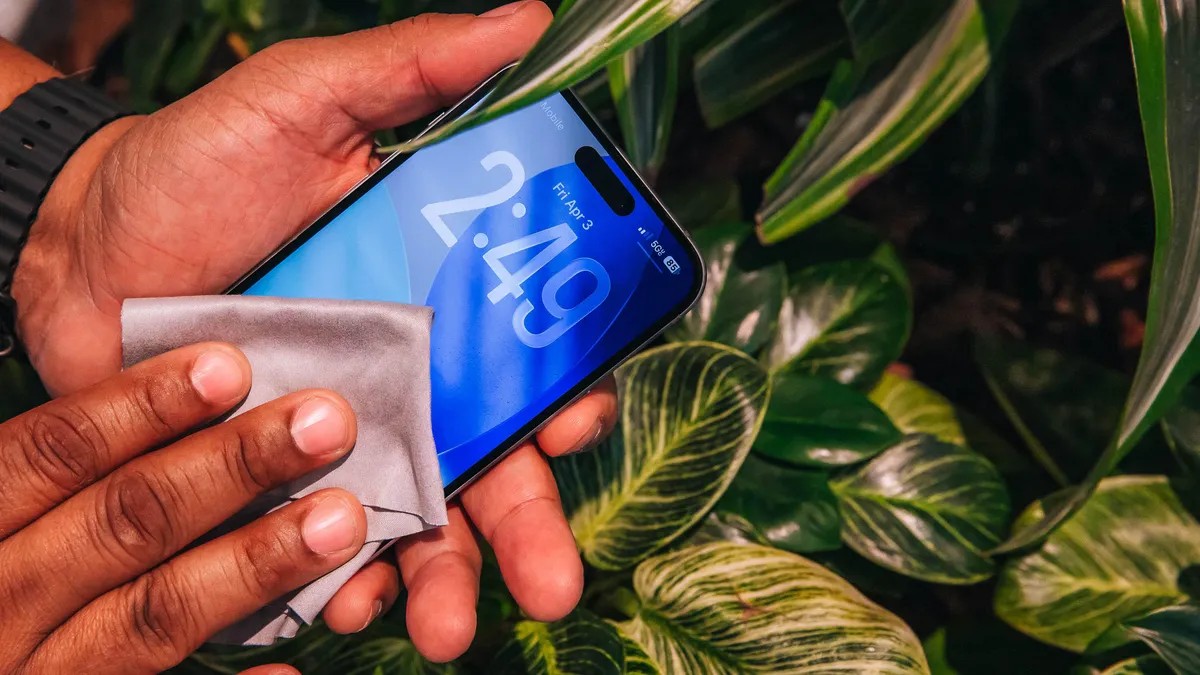
- Use the Right Cloth: Avoid paper towels or rough fabrics that can scratch the screen. Instead, use a lint-free microfiber cloth (similar to those used for eyeglasses).
- Wipe Down:
- For light dust and fingerprints, a dry wipe is usually sufficient.
- For stubborn smudges, lightly dampen the cloth with water.
- Caution: Never spray liquids directly onto the phone or allow moisture to enter ports, even if your device is rated as water-resistant.
Pro Tip: If your case is made of silicone or another water-resistant material, you can wash it separately with mild soap and water to ensure a truly clean reset.
Disinfection: Killing the Germs
Cleaning removes visible dirt, but disinfection is required to kill pathogens. However, using the wrong chemicals can strip the oleophobic (oil-repellent) coating from your screen or damage the hardware.
- Approved Methods: Major manufacturers like Apple, Google, and Samsung recommend using 70% isopropyl alcohol wipes. Apple also notes that 75% ethyl alcohol wipes or Clorox Disinfecting Wipes are safe to use.
- What to Avoid:
- No Bleach or Hydrogen Peroxide: These harsh chemicals can permanently damage the device’s surface.
- No Compressed Air: This can force debris deeper into the internal components.
- No Direct Spraying: Never spray cleaning solutions directly onto the device.
Detail Work: Buttons and Charging Ports
Over time, lint and debris accumulate in the crevices of buttons and charging ports, which can lead to connectivity issues or mechanical failure.
- The Toothpick Method: To clear out debris from a charging port, use a wooden toothpick. It is soft enough to avoid damaging the delicate pins inside the port.
- What to Avoid:
- Cotton Swabs: These can leave behind tiny fibers that clog ports further.
- Metal Objects: Never use safety pins, needles, or metal picks. Metal can short-circuit the device or scratch the internal components.
Maintaining Your Screen Protector
If your phone uses a screen protector, it is likely the most “worn” part of your device. Over time, micro-scratches and accumulated oils can make a protector look cloudy or feel less responsive. Because they are relatively inexpensive, replacing an old screen protector with a fresh one is one of the most effective ways to restore the “new phone” feel and ensure maximum protection against future damage.
Summary: Regular hygiene for your smartphone involves using microfiber cloths for smudges, 70% isopropyl alcohol wipes for disinfection, and wooden toothpicks for port maintenance—all while avoiding harsh chemicals and metal tools that could cause permanent damage.